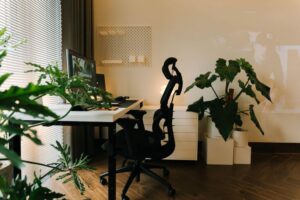

Creating a workspace at home that is both relaxing and productive can significantly improve your work experience and overall well-being. Whether you work remotely full-time or occasionally from home, setting up the right environment helps you focus, reduces stress, and maintains a healthy work-life balance. In this post, we share practical tips to help you design a home office that supports both productivity and relaxation.
Why a Relaxing and Productive Workspace Matters
Your workspace directly influences how you feel and perform during work hours. A cluttered or uncomfortable setup can lead to distractions, fatigue, and stress. On the other hand, a well-organized, calming environment encourages focus, creativity, and motivation. Crafting such a space ensures that when it’s time to work, you can do so efficiently, and when it’s time to rest, you can easily disconnect.
Choosing the Right Location
Pick a Dedicated Space
If possible, designate an area exclusively for work. This might be a spare room, a quiet corner, or even a section of the living room. Having a clear boundary helps your mind associate the space with work, making it easier to concentrate.
Consider Natural Light
Natural light can boost your mood and energy. Position your desk near a window if possible, but avoid direct glare on your screen. Use light curtains or blinds to control brightness throughout the day.
Minimize Noise
Try to choose a spot away from household noise. If silence is elusive, consider noise-cancelling headphones or white noise machines to create a consistent, distraction-free sound environment.
Ergonomics and Comfort
Invest in a Good Chair
A comfortable, supportive chair is essential. It reduces strain on your back and helps maintain good posture, which is key for long hours of work.
Set Your Desk Height Correctly
Your desk and chair height should allow your arms to rest comfortably at a 90-degree angle while typing. Keep your feet flat on the floor or on a footrest.
Monitor Positioning
Place your monitor at eye level about 20 inches away to reduce neck and eye strain.
Incorporate Movement
If you can, use a sit-stand desk or take short breaks to stretch and move around every hour. This can help improve circulation and reduce discomfort.
Organizing Your Workspace
Declutter Regularly
A tidy desk reduces distractions and helps you find what you need quickly. Use storage boxes, trays, or shelves to keep paperwork and supplies organized.
Use Task Lighting
A desk lamp with adjustable brightness allows you to focus light exactly where you need it, which helps reduce eye fatigue.
Personalize with Purpose
Add a few personal touches like a plant, photo, or artwork to make the space inviting. Balanced personalization can enhance your mood without adding clutter.
Creating a Relaxing Atmosphere
Choose Calming Colors
Soft, neutral shades or pastels promote relaxation. Avoid overly bright or harsh colors that might increase stress.
Add Greenery
Plants can improve air quality and add a calming touch. Low-maintenance plants like succulents or pothos are great options.
Incorporate Aromatherapy
Using a diffuser with essential oils like lavender or eucalyptus can create a soothing environment.
Manage Temperature
Keep the room comfortable by using fans, heaters, or opening windows as needed. Being too hot or cold can distract from your work.
Establishing Effective Work Habits
Set Clear Boundaries
Define your work hours and communicate them with family members or roommates to minimize interruptions.
Use To-Do Lists
Organize tasks by priority to maintain focus and a sense of accomplishment.
Take Scheduled Breaks
Breaks are important for mental refreshment. Use techniques like the Pomodoro method—25 minutes of focused work followed by a 5-minute break.
Limit Digital Distractions
Turn off non-essential notifications and consider apps that block distracting websites during work sessions.
Maintaining Work-Life Balance
Separate Work from Relaxation
When the workday ends, physically leave your workspace if possible. This helps signal your brain that work time is over.
End the Day with a Routine
Create a closing ritual such as tidying your desk or reviewing accomplishments. This can help transition from work mode to relaxation.
—
Creating a home workspace that balances relaxation and productivity is a personal process. Start with these tips and adjust as you discover what works best for you. Remember, the goal is to make your work time more efficient and your home environment more peaceful. With the right setup, you’ll find it easier to stay focused, feel less stressed, and enjoy your work-from-home experience.